Fake Google Reviews: How to Spot Them, Report Them, and Protect Your Business (2026)
By the Amica Solutions Team · Published 19 November 2026 · Google facts checked 19 November 2026 against Google’s own Help pages. Amica Solutions builds Amica Directory and these free tools, so the screenshots are from our own tools and our own listing.
Fake Google reviews are reviews not based on a real experience, paid or incentivised, or written with a conflict of interest. You can flag them from your Business Profile, and Google decides whether to remove them. Meanwhile, reply calmly, keep evidence, and build a steady flow of real reviews so one fake review matters less.
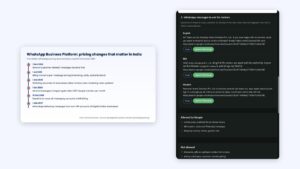
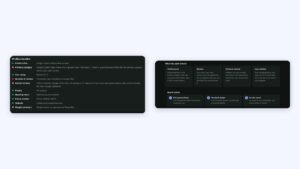
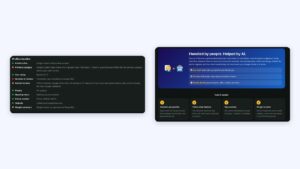
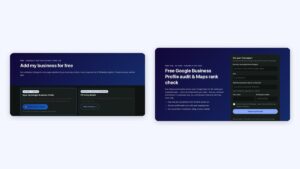
Our audit flags rule-breaking competitors (left, names blurred); asking every customer honestly (right). Screenshots: Amica Directory, 19 Nov 2026.
Few things feel as unfair as a one-star review from someone you have never met. The instinct is to fight it in the replies. The better path is quieter: report it, answer it briefly, and let real customers outweigh it.
Key takeaways
Fake = no real experience, paid, incentivised or conflict of interest.
Flag it from your profile; Google decides.
Reply briefly and calmly.
Keyword-stuffed competitor names can be reported with Suggest an edit.
Real reviews are the best defence.
How can you spot fake Google reviews?
Google’s policy treats fake engagement as content that is not based on a real experience, paid reviews, reviews posted from multiple accounts by one person, and reviews driven by incentives or a conflict of interest (Google Maps content policy).
Warning sign
Why it is suspicious
Reviewer has never been a customer
Not based on a real experience
Many reviews in one day with similar wording
Possible coordinated or paid reviews
Reviewer only reviews one business or one area’s competitors
Possible conflict of interest
Review describes a different business or service
Wrong business or fake
Profile posts many 5-stars right after an “offer”
Incentivised reviews are not allowed
How do you report a fake review?
You can report a review that breaks Google’s policies; Google decides whether to remove it. Google’s Help page says that if a review seems to break its content policies, “you can flag it” from your Business Profile’s reviews section (Manage customer reviews).
Step
What to do
1
Check your records: is this a real customer with a real complaint?
2
If real, reply calmly and fix the issue; it is not a policy violation
3
If fake, flag the review from your Business Profile and choose the reason that fits
4
Reply briefly: “We could not find this visit; please contact us”
5
Keep screenshots and dates in case you need to follow up
What about competitors breaking the rules?
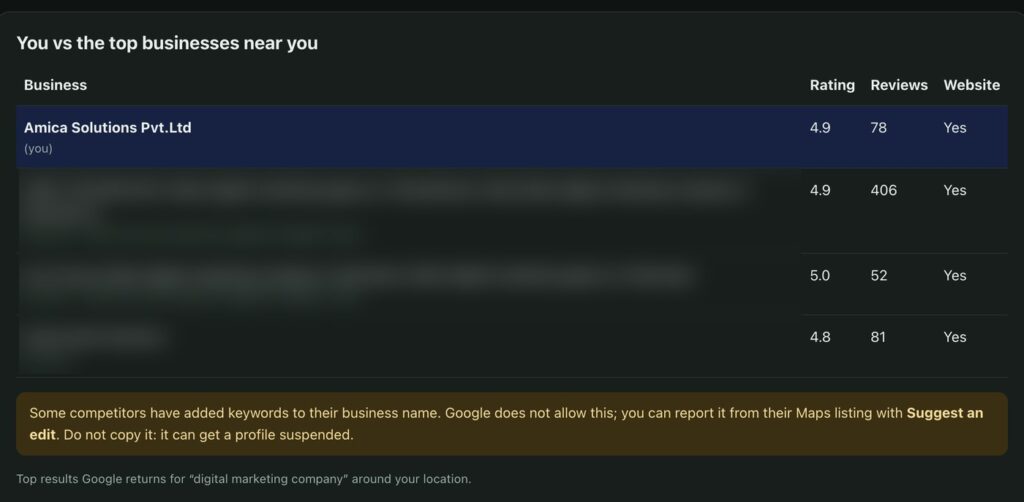
Competitors breaking the rules also show up in other ways. Our free audit compares you with the top 3 businesses near you. In our own report, two competitors had keywords added to their business name, which Google’s guidelines do not allow (“Including unnecessary information in your business name isn’t permitted”, Google guidelines). The report notes you can suggest an edit from their Maps listing, and warns not to copy it.
You vs the top 3 near you (other businesses’ names blurred by us). Screenshot: Amica Directory, 19 Nov 2026.
How do you protect your rating?
The best defence is a steady flow of real reviews. One fake one-star hurts much less when you have recent, genuine reviews around it. Ask every customer with a counter QR poster and a WhatsApp message; see the free review QR poster.
Check whether the reviewer was ever a customer, whether many similar reviews arrived at once, and whether the review describes a different business. Google’s policy treats reviews without a real experience as fake engagement.
How do I report a fake Google review?
Flag the review from the reviews section of your Business Profile and choose the reason. Google reviews the report and decides whether to remove it.
Can I remove a negative review myself?
No. Only Google can remove reviews, and only those that break its policies.
Should I reply to a fake review?
Yes, briefly and politely, saying you could not find the visit and asking the person to contact you.
Can I buy reviews to balance fake ones?
No. Paid reviews are themselves fake engagement under Google’s policy and can be removed.