Google Business Profile Verification in 2026: Every Method, Video Tips and How Long It Takes
By the Amica Solutions Team · Published 19 November 2026 · Google facts checked 19 November 2026 against Google’s own Help pages. Amica Solutions builds Amica Directory and these free tools, so the screenshots are from our own tools and our own listing.
Google offers phone or text, email, live video call, postcard and video recording verification, and decides which you see. Reviews take up to 5 business days. A verification video must be one unedited take of at least 30 seconds showing your location, your business or equipment, and proof that you manage it.
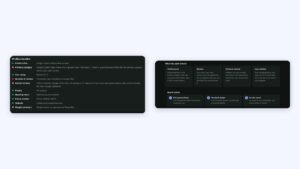
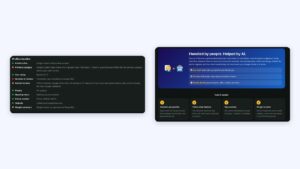
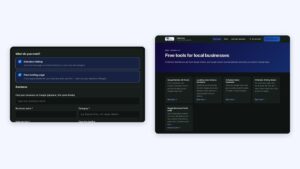
A live, verified profile in our audit (left) and how plans connect to it (right). Screenshots: Amica Directory, 19 Nov 2026.
Verification is the step owners most often get stuck on, usually because the video missed one thing Google needed to see. Knowing the checklist in advance saves weeks.
Key takeaways
Methods: phone/SMS, email, live call, postcard, video.
Google chooses which you get.
Up to 5 business days for review.
Video: 30+ seconds, one take, location + equipment + proof.
Do not edit key details while waiting.
What verification methods does Google offer?
Google decides which verification methods you see, based on your business. The methods in Google’s Help (Verify your business on Google):
Method
How it works
Time
Phone or text
Google sends a code to your business phone; IVR systems will not receive it
Immediate
Email
Follow the steps in an email Google sends
Immediate
Live video call
A Google support representative guides you, during your business hours
During the call
Postcard
A 5-digit code is mailed to your address
Most arrive within 14 days; codes expire after 30 days
Video recording
You record a continuous video (Google recommends it if eligible)
Review up to 5 business days
Google says verification reviews take up to 5 business days, rarely longer. While waiting for a postcard, do not edit your name, address or category or request a new code.
Street signs, landmarks near your business address
Business or equipment
Storefront, showroom or signage
Professional tools, equipment or products you use
Proof you manage it
Things only an employee can access
Performing a service or accessing business-only assets
The video must be at least 30 seconds, an “unedited, unique, and complete recording with no breaks”, captured live.
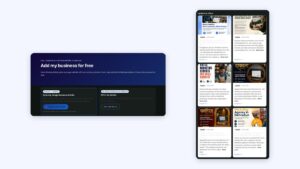
The profile checklist from our own audit report. Screenshot: Amica Directory, 19 Nov 2026.
What should you do after verification?
After verification, Google says you can make changes to your profile on Maps and Search, and verification is the first tip on its local ranking page. Then complete every field and check the result with our free audit. If you would rather not handle the profile yourself, our management plans connect by Google sign-in, with no password sharing.
How long does Google Business Profile verification take?
Google says verification reviews take up to 5 business days. Postcards usually arrive within 14 days.
What should a verification video show?
Your location (street signs, building numbers or landmarks), your business or equipment, and proof you manage it, in one continuous recording of at least 30 seconds.
Can I choose my verification method?
No. Google determines which methods are available for your business.
What if my postcard code does not arrive?
Most arrive within 14 days and expire after 30 days. Do not edit your name, address or category while waiting.
Why is verification important?
Only verified owners can manage the profile, and Google lists verification as the first tip for local ranking.