Click to WhatsApp Ads in India: What They Cost After Meta's 2026 Pricing Changes, and How to Run Them Well
By the Amica Solutions Team · Published 23 November 2026 · Pricing facts checked 23 November 2026 against Meta’s WhatsApp pricing documentation, linked below. Meta changes pricing on quarter-start dates, so check the source before budgeting.
Click to WhatsApp ads are Facebook or Instagram ads that open a WhatsApp chat with your business instead of a website. There is no charge for the customer’s messages; your ad spend is separate. On Meta’s WhatsApp Business Platform, if you reply within the 24-hour window, a free entry point window opens that “may remain open for up to 7 days”, during which your messages are not charged. Indian businesses on the platform must move messaging accounts to INR billing by 31 December 2026, or Meta stops delivering their messages from 1 January 2027.
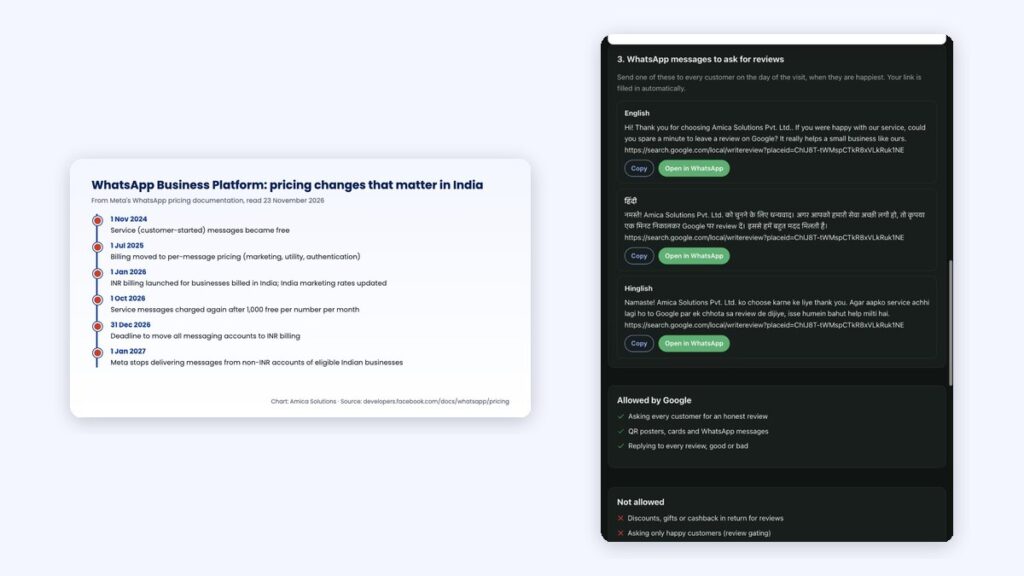
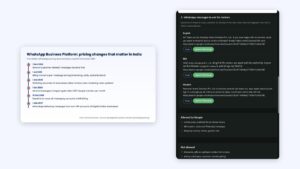
WhatsApp pricing changes from Meta’s documentation (left) and a real WhatsApp message set (right).
For a lot of Indian customers, filling a form feels like work, but sending “Hi, price?” on WhatsApp feels natural. That is why Click to WhatsApp ads work so well for local businesses: a clinic, a coaching institute, a furniture shop or a travel agent gets a real conversation instead of a cold lead.
This year Meta changed how WhatsApp Business messaging is priced more than once. Below we explain what changed, using only Meta’s own pricing page, and how to run these ads without surprise bills.
Key takeaways
- Click to WhatsApp ads open a chat instead of a website.
- Customer messages are free; ad spend is separate.
- Reply within 24 hours to open a free window of up to 7 days.
- Per-message pricing since July 2025; service messages charged beyond 1,000/month since October 2026.
- Platform users in India: switch to INR billing by 31 December 2026.
How do Click to WhatsApp ads work?
A Click to WhatsApp ad is an ad on Facebook or Instagram whose button opens WhatsApp with your business number, often with a pre-filled first message. The customer taps, the chat opens, and they send the first message. Meta explains how to create these ads in Ads Manager in its Business Help Center.
| Step | What happens | Who pays |
|---|---|---|
| Customer sees the ad | On Facebook or Instagram | You pay Meta for the ad (impressions or results) |
| Customer taps and messages you | WhatsApp opens with your number | No charge for the customer’s message |
| You reply within 24 hours | Customer service window is open | See pricing below |
| Conversation continues | Free entry point window, up to 7 days (Business Platform) | Messages in this window are not charged |
What changed in WhatsApp Business pricing?
What changed in pricing, from Meta’s own documentation (WhatsApp Business Platform pricing):
| Date | Change |
|---|---|
| 1 Nov 2024 | Service messages (replies inside the customer service window) became free |
| 1 Jul 2025 | Meta moved to per-message pricing: “Meta charges on a per-message basis”, for delivered business-to-user messages |
| 1 Jan 2026 | Billing in INR launched for businesses whose sold-to country is India |
| 1 Oct 2026 | Service messages charged again: “1,000 free service messages per month” per business phone number, resetting monthly |
| 31 Dec 2026 | All messaging accounts of eligible Indian businesses must be migrated to INR |
| 1 Jan 2027 | “Meta will no longer deliver the messages of non-INR Messaging accounts of eligible customers” |
Message categories are marketing, utility, authentication and service. Meta does not charge for messages users send to you. Exact per-message rates for India are in the rate card linked from Meta’s page; we have not quoted numbers here because Meta updates them on quarter-start dates.
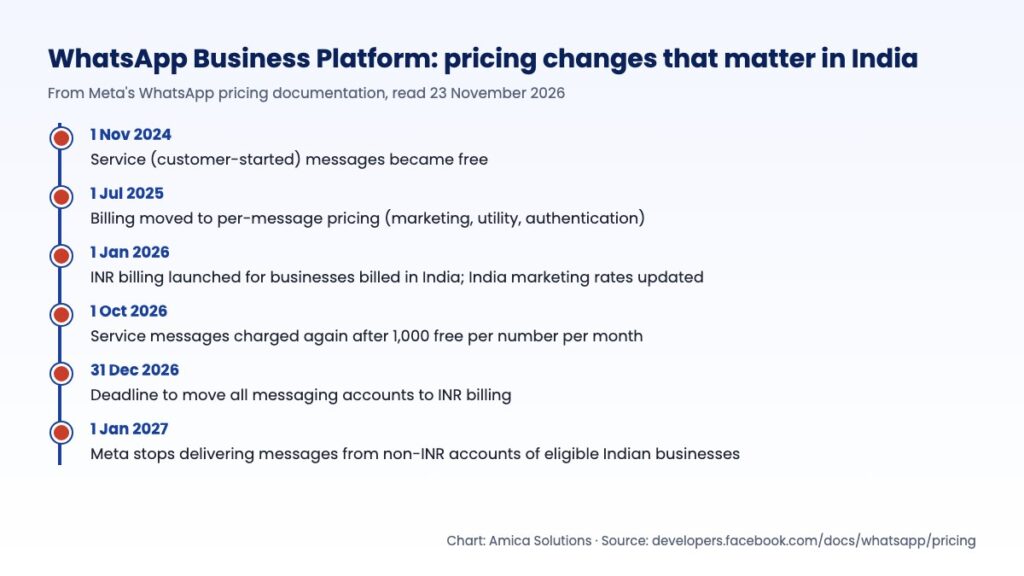
WhatsApp Business Platform pricing changes for India. Chart by Amica Solutions from Meta’s WhatsApp pricing documentation, read 23 November 2026.
What is the free 7-day window after an ad click?
The free entry point window is what makes Click to WhatsApp ads cost-efficient. Meta’s page says that if a user messages you via an ad that clicks to WhatsApp, and you respond within the customer service window, a free window opens “starting from the time when you responded”, and “The FEP window may remain open for up to 7 days.” Messages in that window are not charged. One older Meta marketing page still mentions 72 hours, so treat the developer documentation as current and confirm in your billing.
In practice: answer every ad lead quickly, ideally within minutes, because the free window only opens once you respond within 24 hours.
WhatsApp Business app or Business Platform?
WhatsApp Business app or Business Platform? Small shops often start on the free WhatsApp Business app; growing businesses with more chats, several staff or automation move to the Business Platform through a provider. The pricing above applies to the Business Platform.
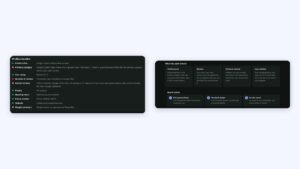
| WhatsApp Business app | WhatsApp Business Platform | |
|---|---|---|
| Best for | One owner or small team | Several staff, automation, CRM |
| Message pricing | Not covered by the per-message rate card | Per-message pricing by category |
| Automation | Basic quick replies and greetings | Bots, templates, integrations |
| INR billing deadline | Not applicable | Migrate by 31 Dec 2026 if billed in India |
How do you run Click to WhatsApp ads without wasting money?
A setup checklist that saves money:
| Check | Why |
|---|---|
| Reply within minutes during ad hours | Opens the free window and wins the lead |
| Use a pre-filled first message that asks one question | “Hi, I want the price of a 3-seater sofa” is easier to answer than “Hi” |
| Keep a price list and photos ready to send | Most ad chats ask price, location and timing |
| Send marketing broadcasts only to people who opted in | Consent rules and spam reports hurt the number’s quality |
| If on the Business Platform, migrate billing to INR before 31 Dec | Avoid message delivery stopping on 1 Jan 2027 |
| Track chats that became customers | Ad cost per chat means little without sales |
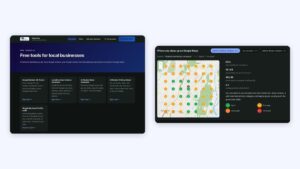
For more on ads and WhatsApp, see Meta Ads for local businesses in India and WhatsApp marketing for small businesses. Our team runs Meta and WhatsApp campaigns for businesses across India; see our digital marketing services in India.
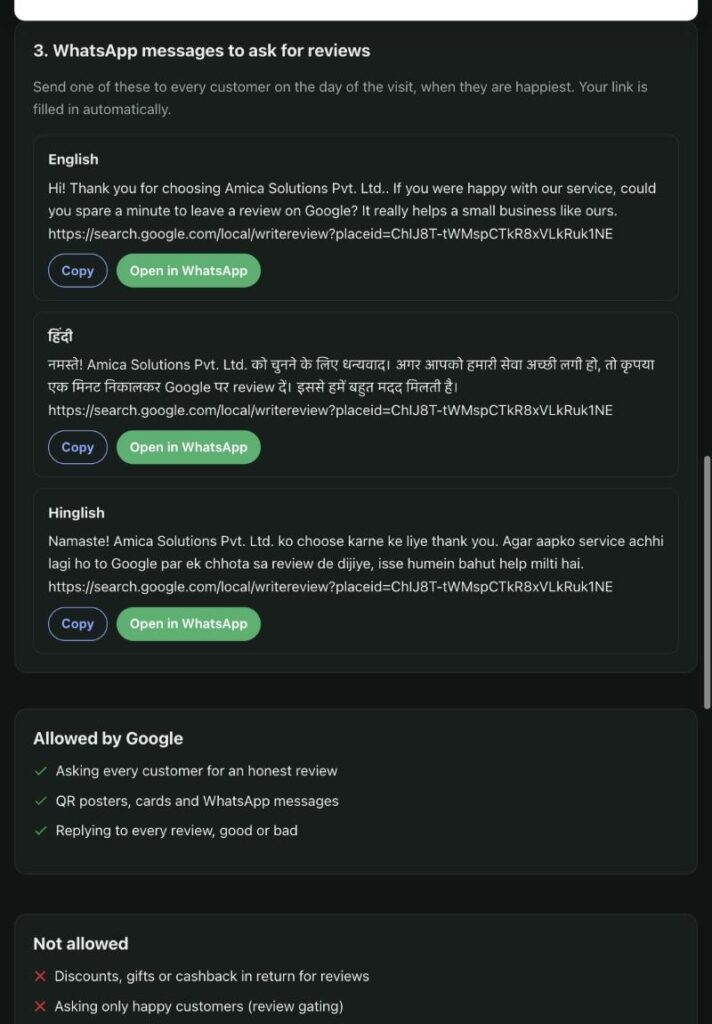
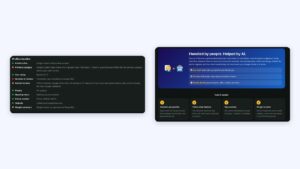
Short, personal messages in English, Hindi and Hinglish work better than broadcast blasts. Screenshot: Amica Directory, 19 Nov 2026.
Frequently asked questions
What are Click to WhatsApp ads?
Facebook or Instagram ads whose button opens a WhatsApp chat with your business, so customers message you instead of visiting a website.
How much do Click to WhatsApp ads cost in India?
You pay Meta for the ad itself. On the WhatsApp Business Platform, messages users send you are free, and if you reply within 24 hours a free window of up to 7 days opens in which your messages are not charged. Other business messages are priced per message by category.
Is WhatsApp Business messaging charged per message or per conversation?
Per message. Meta moved to per-message pricing on 1 July 2025.
Are service messages free on WhatsApp Business?
From 1 October 2026, Meta gives 1,000 free service messages per month per business phone number and charges from the 1,001st, per its pricing page.
What is the WhatsApp INR billing deadline for India?
Eligible Indian businesses must migrate all messaging accounts to INR by 31 December 2026. From 1 January 2027 Meta will not deliver messages from their non-INR accounts.
Can I run Click to WhatsApp ads with the WhatsApp Business app?
Meta’s Ads Manager help explains which WhatsApp accounts can be connected to these ads; check its current requirements before you start. The per-message rate card covers the WhatsApp Business Platform.