How to Reply to Negative Google Reviews: Examples That Calm Things Down (2026)
By the Amica Solutions Team · Published 19 November 2026 · Google facts checked 19 November 2026 against Google’s own Help pages. Amica Solutions builds Amica Directory and these free tools, so the screenshots are from our own tools and our own listing.
Reply to a negative Google review calmly: thank the reviewer, apologise for what went wrong, say what you changed, and invite them to continue on WhatsApp or by phone. Do not argue or share private details. If the review breaks Google’s rules, report it as well; otherwise the reply is your best tool.
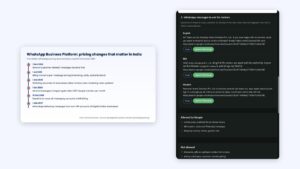
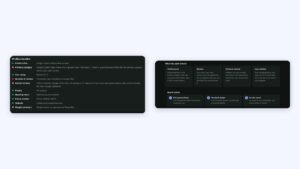
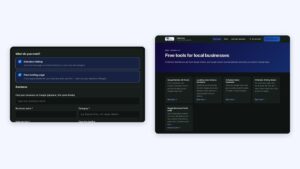
Draft a calm reply (left) and fix the cause (right). Screenshots: Amica Directory, 19 Nov 2026.
The first reaction to a one-star review is to defend yourself. But the reviewer is not your real audience; the next hundred customers reading it are. A calm, honest reply often tells them more about you than ten five-star reviews.
Key takeaways
Wait, then reply within a day.
Thank, apologise, say what changed, take it offline.
Never share private details or attack the reviewer.
Report only reviews that break Google’s rules.
Use the free AI tool for a calm first draft.
What does Google advise for negative reviews?
Google’s advice for negative reviews: protect the reviewer’s privacy, never attack them, admit real mistakes, apologise where appropriate, personalise the reply and respond promptly. For complex issues, Google suggests asking the reviewer to contact you privately (Google Business Profile Help).
How do you reply to a bad review, step by step?
Use the same five steps every time.
Step
What to write
Avoid
1. Wait 10 minutes
Nothing yet; read the review twice
Replying while angry
2. Thank and acknowledge
“Thank you for telling us”
“This is false”
3. Apologise for what went wrong
“Sorry the delivery was late”
Blaming the customer
4. Say what you changed
“We now confirm dates before promising”
Vague promises
5. Take it offline
“Please message us on WhatsApp”
Sharing bills, phone numbers or private details
Example replies for common complaints
Example replies for the complaints we see most.
Complaint
Example reply
Rude staff
We are sorry, this is not how we want anyone treated. Please message us so we can understand what happened and set it right.
Late delivery or service
You are right, the delay was our mistake, and we apologise. We have changed how we confirm dates. Please message us if anything is still pending.
Poor quality
Sorry it did not meet your expectations. It is covered by our warranty; message us and we will arrange a fix or replacement.
Price complaint
Thank you for the feedback. We would be glad to explain the bill; please share it on WhatsApp and we will check every item.
No response to calls
We apologise for missing your calls. We have set a same-day call-back rule. Please message us now and we will reply today.
Not a real customer
We could not find this visit in our records. Please contact us so we can look into it.
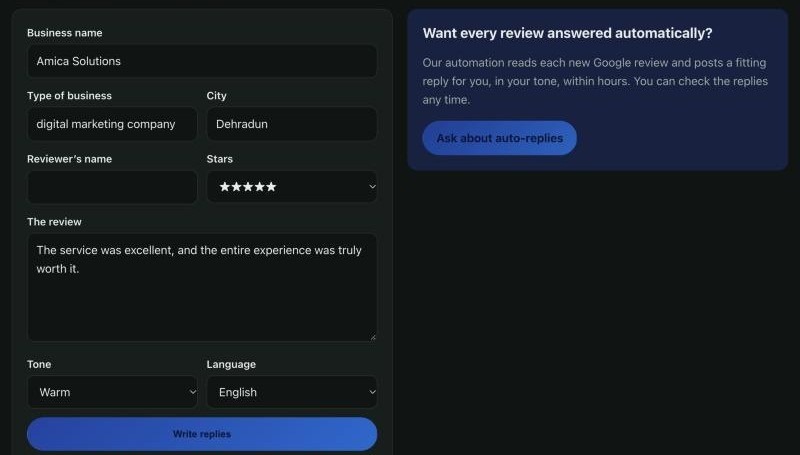
The reply generator: paste the review, choose tone and language. Screenshot: Amica Directory, 19 Nov 2026.
When should you report a review instead?
If a review breaks Google’s rules, you can report it; Google decides whether to remove it. Google’s Help page says you can flag a review that seems to break its content policies (Manage customer reviews). Fake reviews, reviews from competitors or ex-employees (conflict of interest) and off-topic content are examples in Google’s policy (Google Maps content policy). A bad but genuine review is not a policy violation; reply to it instead. See how to spot and report fake reviews.
Thank the reviewer, apologise for what went wrong, say what you changed, and invite them to continue the conversation privately on WhatsApp or by phone.
Should I reply to a fake negative review?
Yes, briefly and calmly, saying you could not find the visit and asking them to contact you. Also report the review to Google.
Can I delete a negative Google review?
No. Only Google can remove a review, and only if it breaks Google’s policies. You can report it from your Business Profile.
How fast should I reply to a bad review?
Within a day if you can. Google recommends responding promptly.
Can AI write replies to negative reviews?
It can draft them. Read the draft, add what actually happened and what you changed, and keep the tone calm before posting.