How to Write a Good Google Review: A Simple Format, Examples and What to Avoid (2026)
By the Amica Solutions Team · Published 19 November 2026 · Google facts checked 19 November 2026 against Google’s own Help pages. Amica Solutions builds Amica Directory and these free tools, so the screenshots are from our own tools and our own listing.
A good Google review says what you went for, what happened, what stood out and whether you would go again, in two to four honest sentences. Write only about a real visit, without personal details. If you know what you want to say but not how, the free review writing helper turns your own words into a clear review.
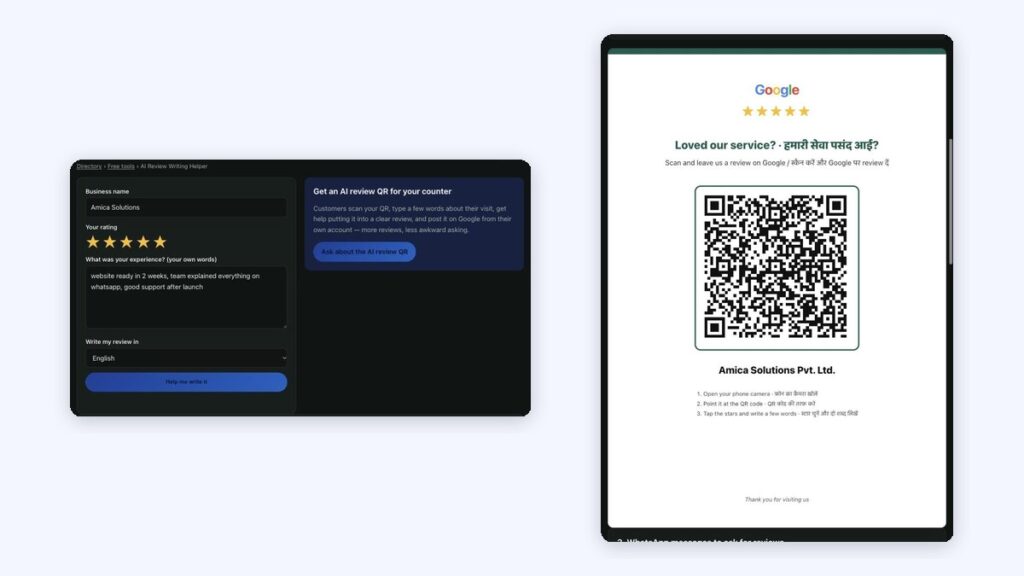
The review writing helper (left) and a review QR poster (right). Screenshots: Amica Directory, 19 Nov 2026.
“Good service 👍” helps the business a little and the next customer not at all. One specific line, like “they explained the bill before charging”, is what people actually read when choosing.
Key takeaways
Four parts: what, how it went, what stood out, would you return.
Two to four sentences with one detail.
Real experience only; no owners or staff.
Any language is fine.
The helper rewrites only your own words.
What makes a Google review helpful?
A good review tells the next customer four things: what you went for, what happened, what stood out, and whether you would go again.
Part
Ask yourself
Example
What you went for
Which service or product?
“Got my split AC serviced”
What happened
How was the visit or job?
“Technician came on time and cleaned the filters and coil”
What stood out
Staff, price, speed, cleanliness?
“Explained the gas level before charging anything”
Would you go again
Recommend or not, and why
“Will call them again before summer”
Examples of good reviews
Examples for different kinds of businesses:
Business
Example review
Clinic
“Visited for back pain. Doctor listened properly and explained the exercises. Waiting time was about 20 minutes. Would recommend.”
Salon
“Got a haircut and hair spa. Stylist asked what I wanted before starting. Clean place, fair price.”
Restaurant
“Family dinner on Sunday. Dal makhani and paneer tikka were very good, service a bit slow because it was busy.”
Coaching institute
“Joined the weekend batch for SSC. Teachers clear doubts after class and weekly tests help.”
Shop
“Bought a fridge. Staff compared two models honestly and delivery came the next day.”
What does Google not allow in reviews?
Google’s rule is simple: write only about a real experience. Its policy prohibits content not based on a real experience, paid reviews, reviews posted because of an incentive, and reviews from people with a conflict of interest such as owners or employees (Google Maps content policy). Do not include phone numbers or other people’s personal details, and keep it about the business.
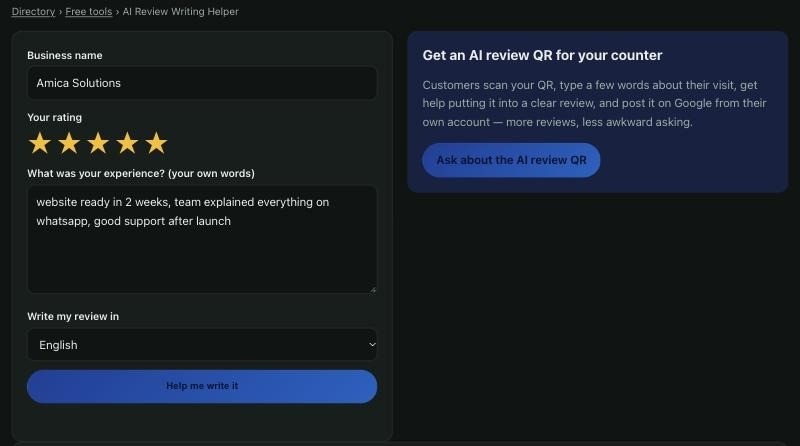
The review writing helper: the customer types a few words in their own language. Screenshot: Amica Directory, 19 Nov 2026.
Type a few words about your visit in Hindi, English or Hinglish, pick your stars, and get a clear review in your own voice to copy and post. It only rewrites what you type; post it only if it is true.