

Why Website Traffic Is Growing but Business Enquiries Are Falling in 2026
Why Website Traffic Is Growing but Business Enquiries Are Falling in 2026 The most frustrating situation for any business owner is watching website traffic grow
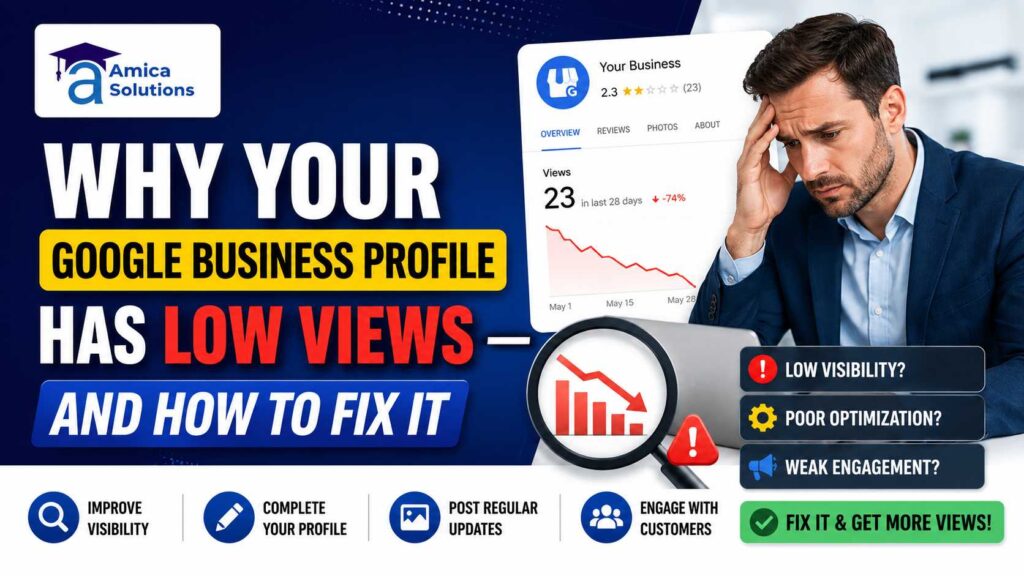
If you have set up your Google Business Profile (GBP) and still wonder, “Why is my Google Business Profile not getting views?” — you are not alone. Thousands of business owners across India face this exact frustration every day. They create a profile, add their address, and then wait. But the calls don’t come, the map views stay flat, and competitors seem to dominate every local search.
The truth is, simply creating a GBP is not enough. Google rewards businesses that are active, accurate, and authoritative. In this blog, Amica Solutions Pvt. Ltd. breaks down the real reasons why your Google Business Profile has low views — and gives you a clear, actionable roadmap to fix it for good.
Google Business Profile is a free tool by Google that helps businesses appear in local search results and Google Maps. When someone searches “plumber near me” or “best CA firm in Roorkee,” Google shows a local map pack — those top three results with ratings, addresses, and phone numbers. Getting into that map pack can completely transform your business visibility.
But if your GBP views are dropping suddenly, or you are seeing Google Business Profile zero impressions, something is clearly broken — and we need to find out what.
This is the most common and damaging issue. If you have not completed Google Business Profile verification, your listing may not show up in search at all. Google requires verification to confirm that your business is legitimate and operating at the stated location. An unverified profile leads to near-zero impressions and kills your local map pack ranking factors.
Fix: Log into your GBP dashboard and complete the verification process via postcard, phone, or video verification as offered by Google.
NAP stands for Name, Address, and Phone Number. Incorrect NAP data causing low views is a well-documented issue in local SEO. If your business name, address, or phone number is inconsistent across your website, social media, and GBP, Google loses trust in your listing.
Fix: Audit your NAP across all platforms. Make sure the information is 100% identical everywhere — including punctuation and abbreviations.
Choosing the best categories for your Google Business Profile is one of the most important steps in local SEO optimization. If you select a vague or incorrect primary category, Google simply won’t know when to show your business.
Fix: Select the most specific and relevant primary category. Add secondary categories to cover your full range of services. A digital marketing agency, for example, should not just select “Marketing Agency” — it should also add “SEO Agency,” “Advertising Agency,” and other relevant options.
Duplicate GBP listings affecting reach is a technical issue that many business owners overlook. If Google finds two profiles for the same business at the same location, it may suppress both — resulting in Google Business Profile not showing up in search.
Fix: Search your business name on Google Maps. If duplicates exist, request removal or merge them through your GBP dashboard.
Adding photos to Google Business Profile for views is not optional — it is essential. Profiles with photos receive significantly more direction requests and website clicks than those without. Google’s algorithm also interprets photo activity as a sign of an active, trustworthy business.
Fix: Upload high-quality images regularly — exterior shots, interior photos, team pictures, and product/service images. Aim to add at least 2-3 photos every month.
Wondering how to get more Google reviews? Reviews are one of the most powerful local map pack ranking factors. A profile with zero or very few reviews signals low trust to both Google and potential customers.
Fix: Ask satisfied customers to leave a review right after a service. Make it easy — send them a direct link to your GBP review page. Respond to every review, both positive and negative, professionally and promptly.
Best frequency for Google Business posts is at least once or twice a week. Google loves fresh, relevant content. An inactive profile without regular posts slowly loses visibility as Google’s algorithm deprioritizes stagnant listings.
Fix: Post updates, offers, events, and news regularly. Include your focus keywords naturally and add call-to-action buttons such as “Call Now,” “Book,” or “Learn More.”
Google Business Profile suspension and views are closely related. If your account is suspended — even for a minor policy violation — your profile disappears entirely from search results.
Fix: Review at Google’s Business Profile guidelines and ensure full compliance. If suspended, file a reinstatement request with clear documentation.
Google frequently rolls out algorithm updates for local search that can cause GBP views to drop suddenly without any change on your part. These updates adjust how local results are ranked and displayed.
Fix: Stay updated with Google’s official announcements and work with an experienced local SEO team — like Amica Solutions — to adapt your strategy accordingly.
Here is your Google Business Profile optimization checklist to improve visibility:
India’s Digital India initiative encourages businesses to establish a strong digital footprint, and optimizing your GBP is a key step in that direction. Similarly, MSME businesses can strengthen their local online presence alongside their official registrations at MSME to build complete digital credibility.
Analyzing Google Maps search trends and checking local rank competitors often reveals that higher-ranking businesses are doing a few things differently:
Understanding why competitors have more GBP views is the first step to closing the gap. A local search grid tool for GBP can visually show you exactly where you rank versus competitors across different geographic pins — giving you data to act on.
Why your Google Business Profile has low views is rarely a mystery once you know what to look for. It is almost always a combination of incomplete information, inactivity, technical issues like duplicate listings or verification problems, and lack of reviews and fresh content. The good news? Every single issue is fixable.
At Amica Solutions Pvt. Ltd., we specialize in local SEO optimization, GBP management, and helping businesses dominate their local market on Google Maps. From troubleshooting low GBP reach to building a consistent content and review strategy, we handle it all.
Ready to turn your invisible profile into a lead-generating machine? Visit us at Amica Solution or reach out directly at contact-us — and let’s build your local visibility together.
There are several common reasons why your Google Business Profile is not getting views — an unverified profile, incorrect or inconsistent NAP (Name, Address, Phone) data, wrong business categories, no recent posts or photos, very few or no reviews, or duplicate listings. Google needs to trust your profile before showing it in local results. Fixing these issues step by step will gradually improve your impressions and visibility.
A sudden drop in GBP views is usually caused by one of three things — a Google algorithm update for local search, a profile suspension, or a recent change you made to your profile such as editing your business name, address, or category. Check your GBP dashboard for any warnings, review Google’s policy guidelines and audit any recent changes you may have made.
NAP stands for Name, Address, and Phone Number. It is one of the most critical local SEO ranking factors. If your business NAP is inconsistent across your website, social media profiles, directories, and GBP, Google gets confused and loses confidence in your listing. This directly leads to lower impressions and poor local rankings. Always ensure your NAP is 100% identical everywhere your business appears online.
Google reviews are one of the strongest local map pack ranking factors. They build social proof for customers and trust signals for Google’s algorithm. Profiles with a higher number of recent, positive reviews rank better in local search and in the Google Maps 3-pack. Always ask satisfied customers to leave a review, make it easy with a direct link, and respond to every review — positive or negative — to show Google and users that your business is engaged and professional.
A duplicate GBP listing is when two or more profiles exist for the same business at the same location. This confuses Google’s algorithm and often causes both listings to be suppressed or ranked lower. Duplicate listings can happen when a previous owner created a profile, when someone else claimed your business, or when Google auto-generates a listing. Search your business name on Google Maps regularly and request removal or ownership of any duplicates you find.
Yes, a suspended Google Business Profile can be recovered in most cases. First, review Google’s Business Profile content policies to understand what caused the suspension. Fix the violation, then submit a reinstatement request through your GBP account with supporting documents such as a business license, utility bill, or GST registration certificate. Recovery can take anywhere from a few days to a few weeks.
Why Website Traffic Is Growing but Business Enquiries Are Falling in 2026 The most frustrating situation for any business owner is watching website traffic grow

How to Appear in AI Overviews & ChatGPT as a Local Business More people now ask AI instead of searching on Google. They type, “Who

How Semantic SEO Keeps You Ranking on Google in 2026 In the rapidly evolving landscape of search engine optimization, semantic SEO has emerged as the

How to Create a Pillar Page & Content Hub for Topical Authority What Is a Pillar Page? A pillar page is a comprehensive, cornerstone piece
How Internal Linking Helps Service Pages Get More Organic Visibility Service pages are the backbone of your online business. They explain what you offer, how

How to Reduce Cost Per Click (CPC) on Google Ads for a Dehradun Business If you run Google Ads for a business in Dehradun, you
Written and reviewed by
Amica Solutions is a digital marketing company in Dehradun working on SEO, Google Business Profile management, Google Ads, social media marketing, content marketing, website development, and lead generation for local businesses.