How to Get Your Google Review Link (and Share It So Customers Use It) in 2026
By the Amica Solutions Team · Published 19 November 2026 · Google facts checked 19 November 2026 against Google’s own Help pages. Amica Solutions builds Amica Directory and these free tools, so the screenshots are from our own tools and our own listing.
Your Google review link opens the review box for your business directly. Get it from your Business Profile on a computer (Read reviews, then Get more reviews), or let the free Amica Directory poster tool build it from your Google listing. Then share it on WhatsApp, on a counter QR poster and on your invoice, and ask every customer.
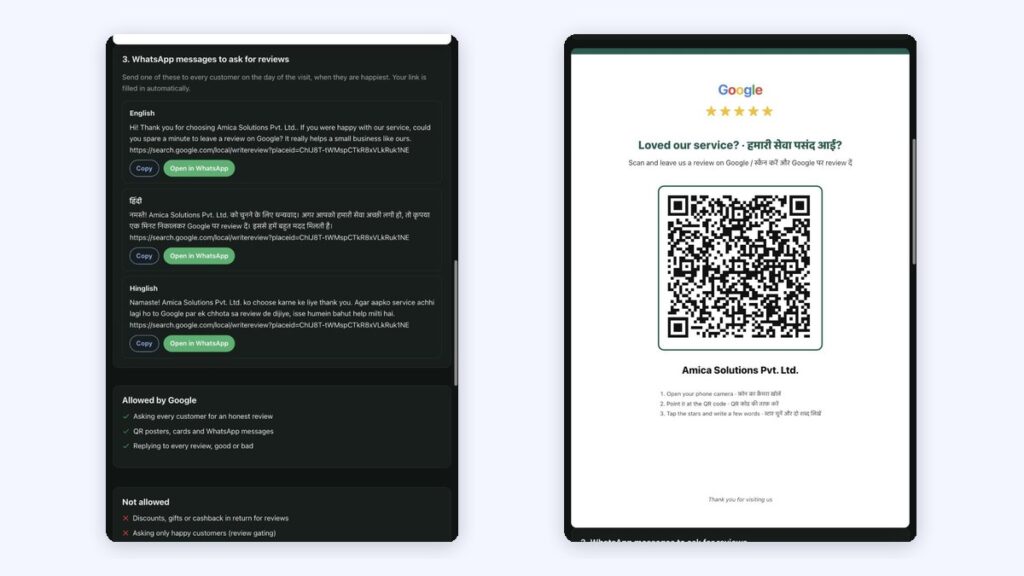
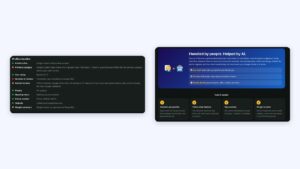
Your review link in WhatsApp messages (left) and on a QR poster (right). Screenshots: Amica Directory, 19 Nov 2026.
“Search our name on Google and leave a review” sounds simple. In practice the customer types the name wrong, finds a different shop, or gives up after two screens. A direct link removes all of that.
Key takeaways
The review link opens your review form in one tap.
Get it from your profile on a computer, or with the free poster tool.
Customers need a Google account to review.
Share it on WhatsApp, a counter QR poster and invoices.
Test it on your phone and ask every customer.
What is a Google review link?
A Google review link is a web address that opens the “write a review” box for your business on Google. Customers do not have to search for you, scroll, or find the review button. One tap and they are at the stars.
Google says customers “must be signed into a Google Account to leave a review”, and that they can create one with a non-Gmail address if needed (Google Business Profile Help).
How do you get your Google review link?
There are three simple ways to get the link.
Method
Steps
Good for
From your Business Profile
Open your profile on Google on a computer, choose Read reviews, then Get more reviews, and copy the link
Owners who manage the profile
Google’s QR option
Same Get more reviews screen: download the QR code instead of the link (computer browser only)
A quick printed code
Free poster tool
Search your business in the Amica Directory poster tool; it builds the link from your Google listing
Staff who do not have profile access
Google describes the first two in its Help article on creating a link or QR code to request reviews. Our tool is useful when the person printing the poster is not the person who manages the Google account.
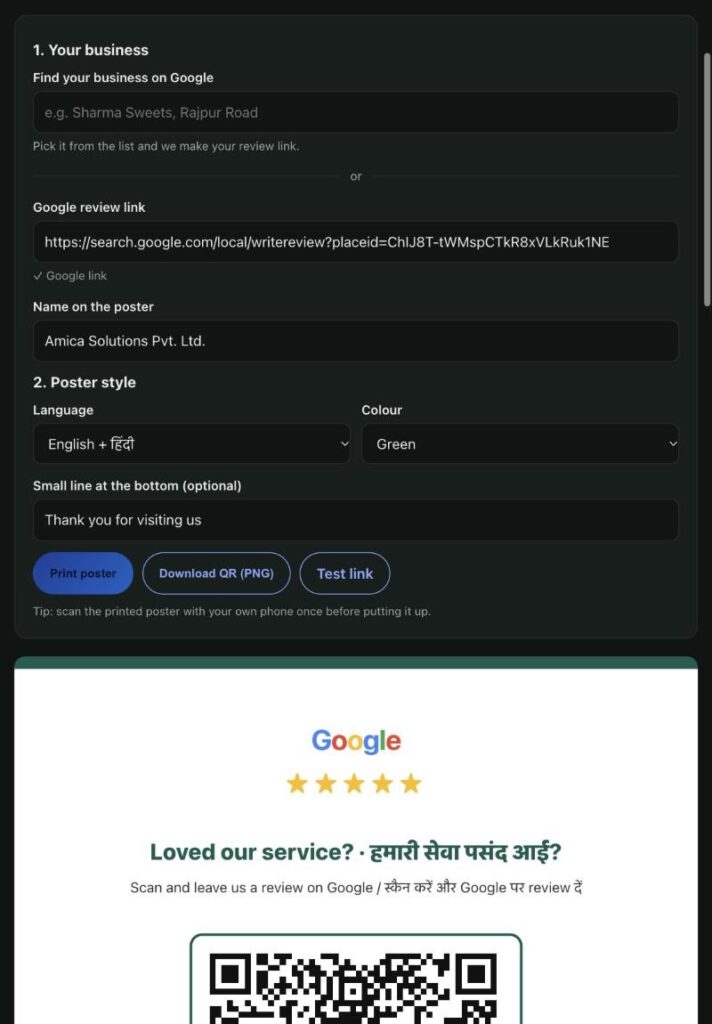
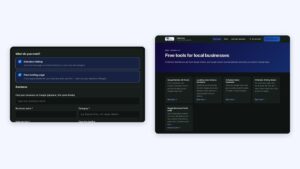
The poster settings: review link, name, language and colour. Screenshot: Amica Directory, 19 Nov 2026.
Where should you share the link?
Getting the link is easy; getting customers to tap it is the real work. Share it where the conversation already happens.
Where
How
Why it works
WhatsApp
Send it on the day of the visit with a short thank-you
Most customers already chat with you there
Counter poster
Print it as a QR code on an A4 poster
Catches people while they are still in the shop
Invoice or receipt
Add the QR code or short link at the bottom
Seen at the moment of payment
Email signature
One line: “Happy with us? Review us on Google”
Every email becomes a gentle reminder
Your website
A “Review us” button on the contact page
Helps returning customers
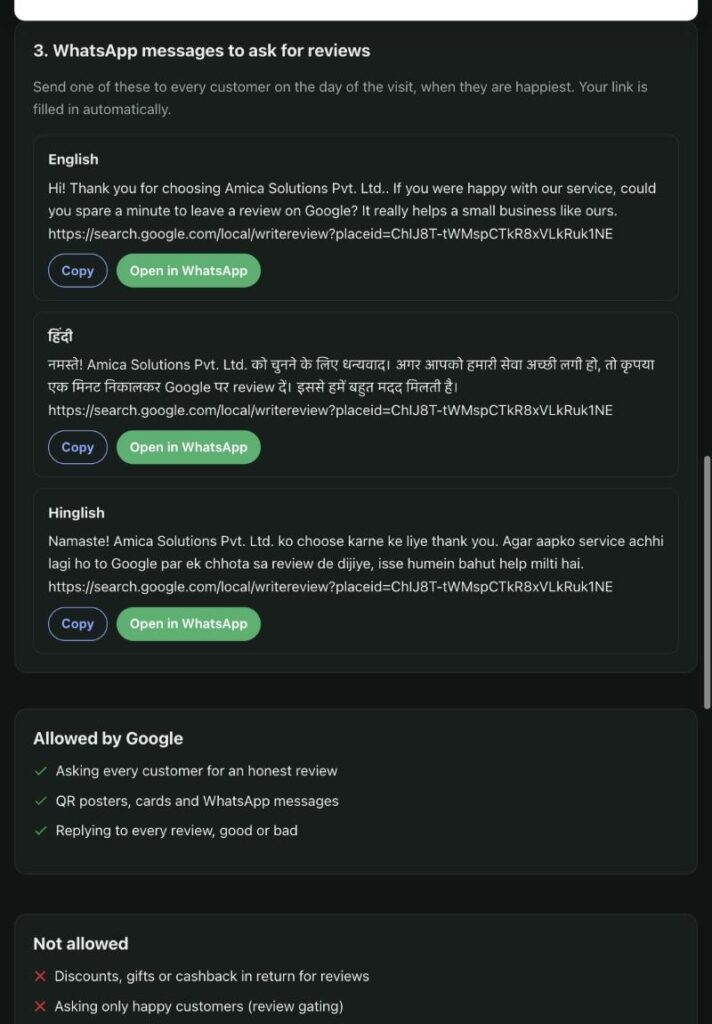
Ready WhatsApp messages in English, Hindi and Hinglish, with the review link filled in. Screenshot: Amica Directory, 19 Nov 2026.
How do you check the link works?
Test the link before you share it widely. Open it on your own phone while signed in: it should show your business name and the star box. If it opens a different business or a search page, copy it again from your profile.
Ask every customer, not only the ones who smiled. Google does not allow businesses to “selectively solicit positive reviews” or to offer anything in return (Google Maps content policy). More on that in what review gating is.
Open your Business Profile on Google on a computer, choose Read reviews, then Get more reviews, and copy the link. You can also find your business in the Amica Directory poster tool, which builds the link for you.
Can customers leave a review without a Google account?
No. Google says customers must be signed into a Google Account to leave a review. They can create one with a non-Gmail email address.
Can I share my review link on WhatsApp?
Yes. Sending the link on WhatsApp on the day of the visit is one of the easiest ways to get reviews. Ask every customer and do not offer rewards.
Why does my review link open the wrong business?
The link may have been copied from another listing. Copy it again from your own Business Profile, or search your business again in the poster tool and test it on your phone.
Is there a free Google review link generator?
Yes. The Amica Directory review QR poster tool builds your review link and QR code from your Google listing for free.