Student Login With OTP on Your Coaching Website: SMS or WhatsApp Codes, Set Up Safely (2026)
By the Amica Solutions Team · Published 16 November 2026 · Facts checked 16 November 2026. Amica Solutions builds the MCQ Test Portal, so the screenshots are from our own product and from coaching institutes that use it.
With OTP login, a student enters name and mobile number, gets a code by SMS or WhatsApp, and starts the test; the account is created on the spot and stays logged in on that phone for a year. In the MCQ Test Portal codes last 10 minutes, allow 5 tries and 6 codes a day per number, and can fall back from WhatsApp to SMS.
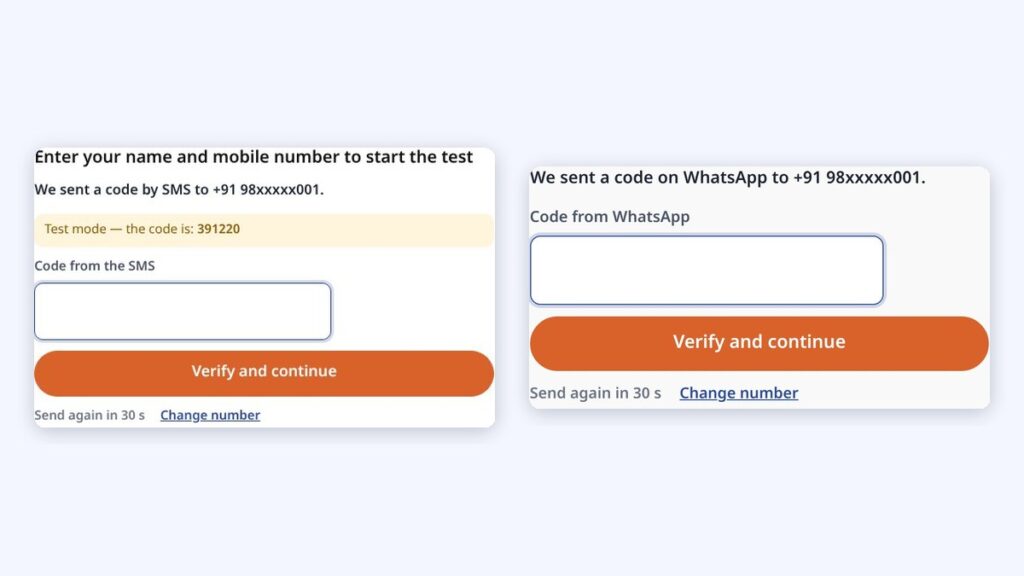
Login by SMS code (left) and WhatsApp code (right). Screenshots: MCQ Test Portal
Ask a class of 16-year-olds to make an account with an email and password and half of them will be stuck at “forgot password” by the second test. Ask for a mobile number and a code, and they are in within a minute. For a coaching institute there is a bonus: every student who logs in is a verified mobile number in your list.
Here is how OTP login works in the MCQ Test Portal, and the limits behind it.
Key takeaways
Name + mobile + code: the student is in, and verified.
SMS (Fast2SMS, MSG91, 2Factor, others) or WhatsApp (Deropo, Meta).
Firm limits protect your SMS balance.
Classroom Wi-Fi can be allowed.
Try it on your own site with the 1-month free demo.
What does OTP login look like for a student?
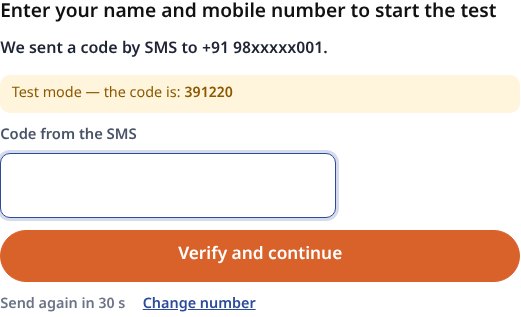
The student types their name and mobile number, receives a code by SMS or WhatsApp, enters it, and starts the test. Filling that short form makes them a student and keeps them logged in on that phone for a year. Tests taken on that phone before logging in move into the new account. A number that already has an account simply logs in with the code.
The login step asking for the SMS code before the test. Screenshot: MCQ Test Portal
Students who want to use another device can choose a password from My Tests. “Students must log in before every test, free and paid” is on by default, and a single test can still be opened to everyone, as our demo test is.
Which SMS and WhatsApp companies can send the code?
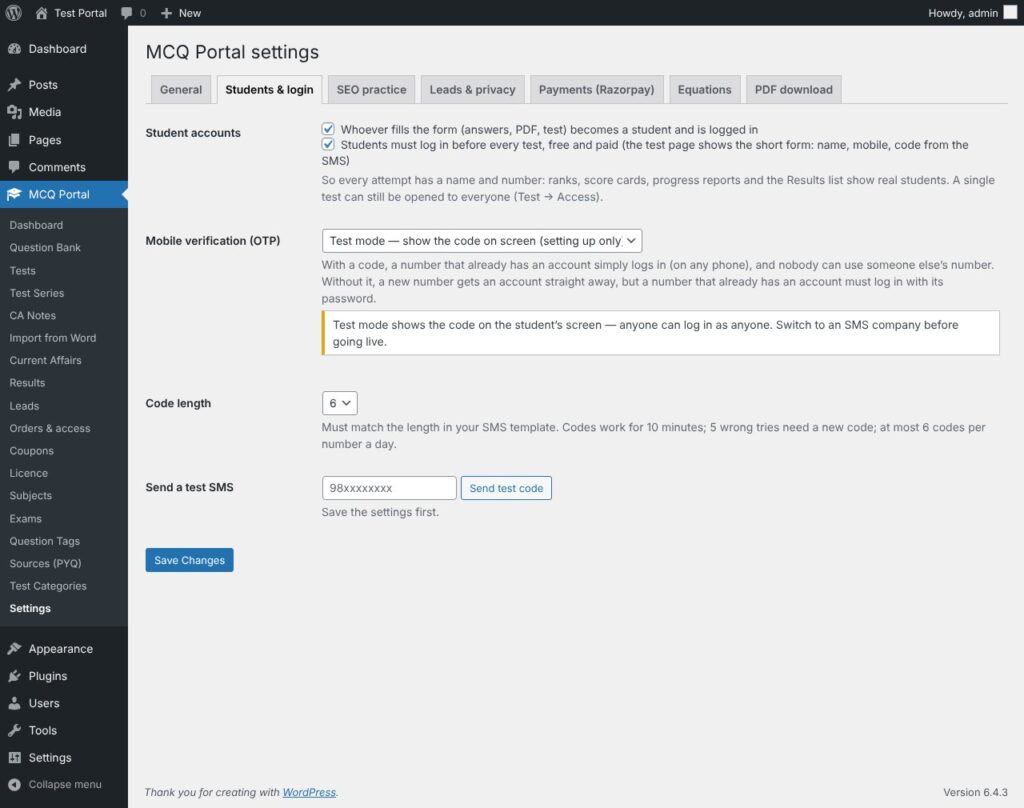
Choose the company that sends the code in Settings → Students & login, and press “Send test code” to check it.
Sends by
Options
SMS
Fast2SMS, MSG91, 2Factor, or any other company through its web address
WhatsApp
Deropo, or Meta’s WhatsApp Cloud API with an approved template
Back-up
If WhatsApp fails, the code can go by SMS, and the student is told; there is also a “Send the code by SMS instead” button
No company yet
A number that already has an account logs in with its password
WhatsApp messages can be in your own words, in Hindi or English, with {otp} for the code and {site} for the site name. In India, SMS companies usually need your templates registered on the DLT system first; your SMS company will guide you.
Settings → Students & login: accounts and mobile verification. Screenshot: MCQ Test Portal
What limits keep OTP login safe?
Codes are limited so nobody can misuse your SMS balance or guess a code.
Rule
Limit
Code works for
10 minutes
Wrong tries
5, then a new code is needed
Codes per number
6 a day
Codes per internet address
25 an hour (changeable), with a list of institute addresses that have no limit, so a classroom on one Wi-Fi can log in
Stored code
Only a scrambled copy
Staff accounts
Can never log in by code
“Test mode” shows the code on screen, for setting up only. Under MCQ Portal → Students you see every student with mobile, verified status, tests taken and last active, with CSV export.
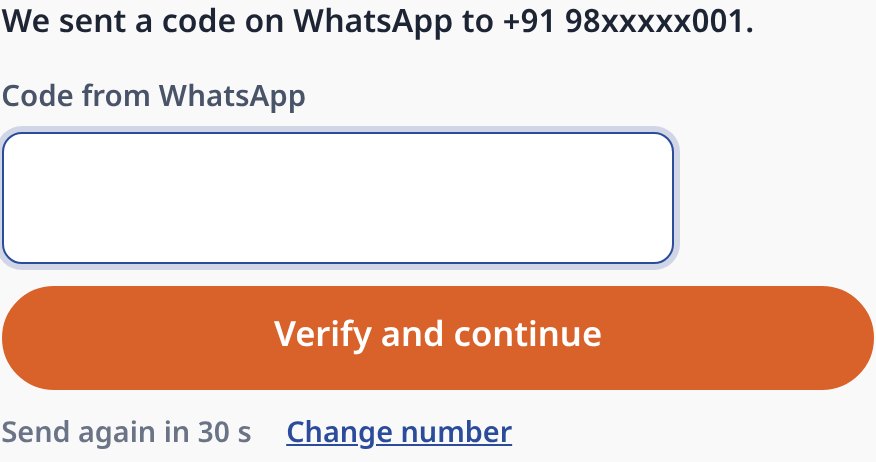
The code sent on WhatsApp. Screenshot: MCQ Test Portal
Should students log in before current affairs practice?
Login can wait until the student has tasted the test. The “Free sample before login” setting lets visitors try the first 3 to 5 questions of a login-required free test, with answers, before the login step. Daily current affairs practice pages stay open without login, which is what lets them rank on Google, as on Shri RAJ IAS and Inspiration Study Circle. The monthly current affairs test and your mock tests can ask for login.
How can you try it?
Send us one of your Word files. We switch the portal on for your website for a month and build your first test from it.
Equations come straight from your Word file and reach students as sharp images, in Hindi and English, with no maths software needed on their phones.
From Word: equations made with Word’s Insert → Equation, or LaTeX typed between $…$ (or $$…$$ on its own line), are read during the upload.
Drawn once, saved as images: the equation is drawn in your browser while you import and saved on your site as an SVG image plus a PNG copy. Students load a small image, so fractions, powers and matrices look the same on every phone.
Spoken alt text in two languages: each equation carries a description, for example “A equals the 2 by 2 matrix Row 1: 1 2 Row 2: 3 4” and “ए बराबर 2 बाय 2 आव्यूह पंक्ति 1: 1 2 पंक्ति 2: 3 4”, from our demo test.
Edit by hand: the question editor has a visual equation editor and a LaTeX box.
In PDFs too: downloadable PDFs keep the equations.
MathType: MathType equations come in as pictures; convert them in Word (MathType → Convert Equations) for sharp results.
Our Class 12 Maths demo was made from one Word file: 10 questions, 126 equations, no errors in the preview. Open it on your phone to see how it looks:
Equations in our demo test on a phone: fractions, powers and a matrix, in Hindi and English. Screenshot: amicasolution.com
Frequently asked questions
How do students log in with OTP on a coaching website?
They enter their name and mobile number, receive a code by SMS or WhatsApp, and type it in. In the MCQ Test Portal this also creates their student account.
Which SMS companies work with the MCQ Test Portal?
Fast2SMS, MSG91 and 2Factor are built in, and any other company can be added through its web address. Deropo or Meta’s WhatsApp Cloud API can send codes on WhatsApp.
How long is an OTP valid?
10 minutes. After 5 wrong tries a new code is needed, and each number can get at most 6 codes a day.
Can a whole classroom on one Wi-Fi log in?
Yes. Add the institute’s internet address to the no-limit list, or raise the codes per network setting.
Is there a free trial?
Yes. Amica Solutions offers a 1-month free demo of the MCQ Test Portal on your own website. Message +91 94113 39575 on WhatsApp.