
Beginner's Guide to Google Analytics for Small Business Owners
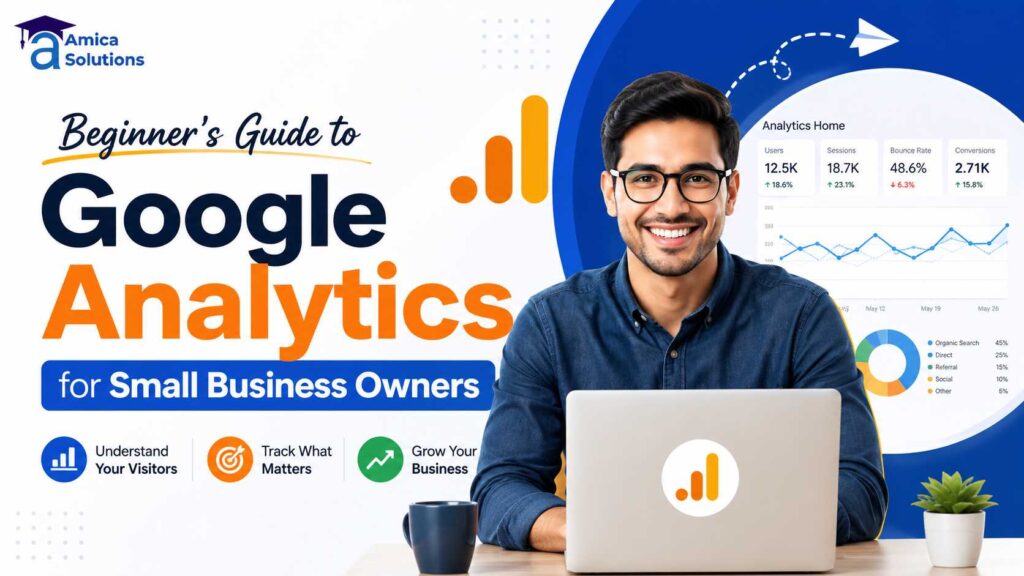
If you have a website but no real idea who is visiting it, where they are coming from, or why they leave without buying anything — you are not alone. Most small business owners in Dehradun have a website, but very few actually check whether it is working. This Beginner’s Guide to Google Analytics for Small Business Owners is written to fix exactly that problem, in plain, simple language, without any confusing technical jargon.
By the end of this guide, you will understand what Google Analytics is, why it matters, and how to actually use it to make better decisions for your business — even if you have never opened it before.
What Is Google Analytics?
Google Analytics is a free tool from Google that shows you exactly what is happening on your website. It tells you how many people visited, which pages they looked at, how long they stayed, where they came from (Google search, Instagram, direct visit), and what device they used.
In simple words, if your website is your online shop, Google Analytics is the CCTV camera that shows you who walked in, what they looked at, and whether they left happy or confused.
This guide focuses on Google Analytics 4 (GA4), which is the current version every business should be using in 2026, since older versions (Universal Analytics) have already been discontinued by Google.
Why Should a Small Business Owner Care About Google Analytics?
Because without it, you are running your business blind. You might be spending money on Google Ads, social media, or SEO, but without analytics, you have no real way to know what is actually bringing customers and what is wasting your budget.
Here is what Google Analytics helps you understand:
- Which marketing channel brings the most visitors (SEO, social media, ads, or direct traffic)
- Which pages on your website people actually read
- Where visitors drop off before contacting you
- Whether your website is mobile-friendly enough for real users
- Which city or area your visitors are coming from
This kind of information is the difference between guessing and actually knowing what works for your business.
How Do I Set Up Google Analytics for My Website?
Setting up Google Analytics is simpler than most people expect. Here is the basic process, step by step:
- Create a Google Analytics account at analytics.google.com using your business Google account
- Set up a property for your website (this represents your business inside Analytics)
- Create a data stream by entering your website URL — this generates a unique tracking code
- Add the tracking code to your website, usually placed in the header section of every page
- Verify the connection by checking the Realtime report while browsing your own website
If this sounds technical, that is completely normal — most business owners get this set up once with help from their web developer or agency and never have to touch it again. If your website was built by Amica Solution, this tracking setup is usually included as part of our website development service.
What Do the Numbers in Google Analytics Actually Mean?
This is where most beginners get confused, so let’s break down the key terms in simple language.
What Is a “Session” in Google Analytics?
A session is one visit to your website. If someone comes to your site, looks at three pages, and leaves, that entire visit counts as one session — even though they viewed multiple pages.
What Is a “User” in Google Analytics?
A user is an actual person visiting your website. One user can have multiple sessions if they visit your website more than once, for example, once today and again next week.
What Does “Bounce Rate” Mean?
Bounce rate shows the percentage of visitors who leave your website without taking any action — like clicking another page, filling a form, or scrolling down significantly. A high bounce rate often means your homepage is not clearly answering what visitors came looking for.
What Is “Traffic Source”?
Traffic source tells you where your visitors came from — for example, Google search (organic), Google Ads (paid), Instagram or Facebook (social), or someone typing your website address directly (direct traffic). This is one of the most useful reports for small business owners because it clearly shows which marketing effort is actually working.
What Are “Conversions” in Google Analytics?
A conversion is any action you consider valuable — like a form submission, a phone number click, a WhatsApp message click, or a completed purchase. Setting up conversions properly is what turns Google Analytics from “just numbers” into a real business decision-making tool.
Which Google Analytics Reports Should a Small Business Owner Actually Check?
You do not need to understand every report inside Google Analytics. As a beginner, focus on these four:
- Realtime report – Shows who is on your website right now. Useful for checking if a new campaign or social media post is driving traffic immediately.
- Acquisition report – Shows where your visitors are coming from (search, social, ads, direct). This tells you which marketing channel deserves more of your budget.
- Engagement report – Shows which pages people spend the most time on, and which pages they leave quickly. This helps you improve weak pages.
- Conversions report – Shows how many visitors actually took a valuable action, like filling a contact form or clicking to call.
If you only check these four reports once a week, you will already understand your website far better than most small business owners in Dehradun.
How Can Google Analytics Help Improve My Digital Marketing Strategy?
Google Analytics is not just a reporting tool — it directly helps you make smarter marketing decisions. Here is how:
- If most traffic comes from organic search, your SEO efforts are working, and it may be worth investing further in content and keyword optimization.
- If a page has high visits but low conversions, something on that page — like unclear pricing or a missing call-to-action — may be pushing visitors away.
- If mobile users have a much higher bounce rate than desktop users, your website likely needs mobile optimization.
- If social media traffic is high but conversions are low, your social content may be attracting the wrong audience, or your landing page may need improvement.
This is exactly the kind of insight that separates businesses that grow steadily from businesses that keep spending on marketing without knowing why it isn’t working. If you’re unsure how to read these patterns for your own website, our SEO and Google Ads teams at Amica Solution use Analytics data exactly this way when planning campaigns.
What Are UTM Parameters and Why Do They Matter?
UTM parameters are small tags added to the end of a website link to track exactly where clicks are coming from — for example, a specific Instagram post, a WhatsApp broadcast, or an email campaign.
Without UTM tracking, Google Analytics might just show “social” as a traffic source. With UTM tracking, it can show you the exact post or campaign that brought the visitor. This becomes very useful once you start running multiple campaigns at the same time and want to know which specific one is performing best.
How Often Should a Small Business Owner Check Google Analytics?
For most small businesses, checking Google Analytics once a week is enough to stay informed without becoming overwhelming. If you are actively running a Google Ads campaign or a new marketing push, checking every 2-3 days helps you catch problems early, such as a sudden drop in traffic or conversions.
There is no need to check it daily unless you are actively managing paid campaigns — over-checking often leads to overreacting to small, normal fluctuations rather than real trends.
Is Google Analytics Really Free to Use?
Yes, Google Analytics is completely free for small and medium businesses, and it remains one of the most powerful tools available at no cost. The paid version, Google Analytics 360, is designed for large enterprises with very high traffic volumes and is not something a small business in Dehradun typically needs.
This aligns with the broader push by the Government of India to help small businesses adopt free and low-cost digital tools to compete online. The Ministry of Micro, Small & Medium Enterprises actively encourages MSMEs to strengthen their digital presence and use available digital tools to grow sustainably, as outlined on the official MSME website. Similarly, the Digital India initiative under the Ministry of Electronics and Information Technology continues to promote wider digital adoption among Indian businesses, which you can read more about on the Digital India official website. If you are a newly registered business exploring digital tools for the first time, the Startup India portal also offers helpful guidance for early-stage business owners.
Common Mistakes Beginners Make With Google Analytics
- Not setting up conversion tracking – Without this, you can see traffic but never know if that traffic actually turns into enquiries or sales.
- Ignoring mobile data – Most website visitors today are on mobile, and ignoring mobile-specific performance means missing half the picture.
- Checking data too rarely – Some businesses set up Analytics and never check it again, which defeats the entire purpose.
- Focusing only on total visitors – A high number of visitors means little if very few of them are actually interested in your business or take any action.
Final Thoughts
Google Analytics is one of the most valuable free tools available to small business owners today, but only if you actually use it. Understanding just the basics — sessions, traffic sources, bounce rate, and conversions — is enough to start making smarter decisions about where your marketing budget should go.
If numbers and dashboards still feel confusing, that’s completely normal, and you don’t have to figure it out alone.
Need Help Setting Up or Understanding Google Analytics for Your Business?
Our team at Amica Solution can set up Google Analytics correctly for your website, configure proper conversion tracking, and explain your reports in simple language every month — so you always know exactly how your marketing is performing.
Amica Solution Pvt. Ltd. 📍 Best Digital marketing company in, Laxmi Tower, Roopa Tower, Near, Sahastradhara Rd, B Block, Aman Vihar, Dehradun, Uttarakhand 248001
📞 Call us: +91 9411339575 / +91 9125161262
📧 Email: contact@amicasolution.com
🌐 Visit: amicasolution.com
Reach out today, and let’s turn your website data into real business growth.
Frequently Asked Questions
Q1. Is Google Analytics difficult to learn for beginners?
No. While it may look overwhelming at first glance, understanding the four basic reports — Realtime, Acquisition, Engagement, and Conversions — is enough for most small business owners to make informed decisions.
Q2. Do I need to hire someone to set up Google Analytics?
Not necessarily. Basic setup can be done by following Google’s guided steps, but proper configuration, especially conversion tracking, is often better handled by a web developer or digital marketing agency to avoid tracking errors.
Q3. What is the difference between Google Analytics and Google Search Console?
Google Analytics shows what happens after someone lands on your website — their behavior, pages viewed, and conversions. Google Search Console shows how your website performs specifically in Google search results, including rankings and click-through rates, before someone even visits your site.
Q4. Can Google Analytics show me who visited my website by name?
No. Google Analytics does not show personal details like names or phone numbers of visitors. It shows anonymous, aggregated data such as location, device, and behavior patterns, in compliance with privacy standards.
Q5. How long does it take to see useful data in Google Analytics?
For very small websites, it may take a few weeks of consistent traffic to see meaningful patterns. Businesses with higher traffic can start noticing useful trends within just a few days of proper setup.
Contact Us
Recent Posts






Written and reviewed by
Amica Solutions Team
Amica Solutions is a digital marketing company in Dehradun working on SEO, Google Business Profile management, Google Ads, social media marketing, content marketing, website development, and lead generation for local businesses.
- Office: Laxmi Tower, Near Sahastradhara Road, B Block, Aman Vihar, Dehradun, Uttarakhand 248001
- Phone: +91 9411339575
- Email: contact@amicasolution.com