Email Marketing for Local Businesses in 2026: Reach the Inbox and Respect Consent
Think about the customers who already know you: the family that orders from your café every Sunday, the patient who comes back every six months, the parent who asked about next year’s batch. Most of them gave you their email address at some point. Very few businesses ever write to them again.
Email is still one of the cheapest ways to bring those people back. But two things changed recently. Gmail now has firm rules for anyone sending to its users, and India’s data protection rules are moving from paper into practice. This guide explains both in plain language and gives you a simple monthly plan.
Facts checked on 13 November 2026 against Google’s sender guidelines and the Government of India’s press release, linked below. This is general guidance, not legal advice.
The Short Answer
- Email people who asked to hear from you. A list you built yourself, with consent, beats any bought list.
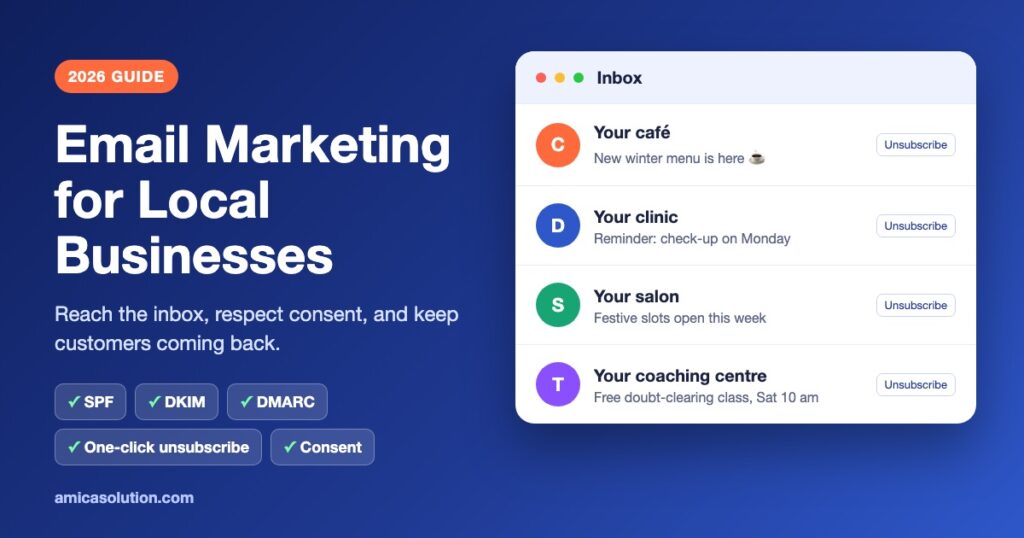
- Set up your domain properly. Gmail requires every sender to use SPF or DKIM, and bulk senders to use SPF, DKIM and DMARC.
- Make leaving easy. Gmail requires bulk senders to offer one-click unsubscribe and a visible unsubscribe link.
- Keep spam complaints very low. Google asks senders to stay below 0.3% and recommends below 0.1%.
- Get ready for India’s DPDP Rules. They were notified on 14 November 2025 with an 18-month phased compliance timeline, and they require clear, standalone consent notices.
Why Email Still Works for a Local Business
Social media reach depends on an app’s ranking. Ads stop the moment you stop paying. An email list is different: it is yours, and a message you send lands in the same inbox your customers check for bills, tickets and appointments.
For a local business, that makes email good at a few specific jobs: reminders (appointments, renewals, batch start dates), seasonal offers (festivals, winter menus, admission season), and simple updates (new timings, a new branch, a holiday closure). It is less good at finding brand-new customers. For that, search, maps and social media still do more of the work.
Gmail's Rules for Senders
Since 1 February 2024, Google has applied email sender guidelines to everyone who sends email to personal Gmail accounts, with extra rules for anyone sending more than 5,000 messages a day to Gmail. A small shop may never reach 5,000 a day, but following the bulk rules anyway is the safest way to stay out of the spam folder.
| Requirement | All senders | Bulk senders (5,000+ a day to Gmail) |
|---|---|---|
| Authentication | SPF or DKIM | SPF and DKIM, plus DMARC |
| From address | Must not pretend to be from Gmail | Your From domain must align with SPF or DKIM |
| Unsubscribe | Not listed as a requirement, but good practice | One-click unsubscribe for marketing email, plus a clearly visible unsubscribe link in the message |
| Spam rate | Below 0.3% in Postmaster Tools | Below 0.3%; Google recommends staying below 0.1% |
| Connection | TLS encryption | TLS encryption |
In practice: send from your own domain (like offers@yourbusiness.in), not a free Gmail address, and use a reputable email platform that sets up the unsubscribe headers for you. Your web host or developer can add the SPF, DKIM and DMARC records in a few minutes.
India's DPDP Rules and Your Mailing List
India’s Digital Personal Data Protection Act was passed on 11 August 2023. Its rules were notified on 14 November 2025, according to the Government of India’s press release. The release says the rules provide an 18-month phased compliance timeline and require businesses to give standalone, clear and simple consent notices explaining the specific purpose for which personal data is collected and used.
For a mailing list, the safe habits are simple:
- Ask clearly. “Send me offers and updates by email” as its own tick box, not hidden in your terms.
- Say what you will send. Monthly offers, appointment reminders, or both.
- Keep a record of when and where each person signed up.
- Make it easy to stop. Every email should have an unsubscribe link that works.
- Do not buy lists or add people from a visiting-card pile without asking.
The release also says people can ask to access, correct or erase their data, and businesses must respond within a maximum of 90 days. Exactly which obligations apply to your business, and from which date, depends on the full rules on the MeitY website. If you collect a lot of customer data, it is worth a short conversation with a lawyer.
How to Build a List the Right Way
- At the counter: a small QR code that opens a sign-up form with a clear consent tick box.
- On your website: a short form on the Contact page or blog, saying exactly what people will receive.
- At booking or admission: an optional box for updates, separate from the booking itself.
- At events: a sign-up sheet that explains what you will send, with a column for consent.
A list of 300 people who chose to hear from you is worth far more than 3,000 addresses who never did. The second list is how businesses end up with high spam complaints.
A Simple Monthly Email Plan
This is a starting point, not a rule. Nobody publishes an ideal number of emails for a local business, so watch your own unsubscribe and complaint numbers and adjust.
| When | What to send | Example |
|---|---|---|
| Once a month | One useful update | New menu, new batch, seasonal tips, behind-the-scenes |
| Before festivals or seasons | One clear offer | Diwali booking slots, winter service check, admission dates |
| As needed | Reminders | Appointment, renewal, class or fee date |
| After a visit | A thank-you | With a link to leave a Google review |
- Write a subject line that says exactly what is inside.
- Keep the email short, with one main button or link.
- Make it readable on a phone first.
- Send from the same name and address every time.
- Check open, click and unsubscribe numbers after each send.
Email works best alongside other channels. If your customers prefer chat, see our WhatsApp marketing guide for small businesses. For writing that people actually want to read, our content marketing team can help, and a fast, mobile-friendly site from our website development team gives your sign-up form a proper home.
Frequently Asked Questions
Do Gmail's sender rules apply to small businesses?
Yes. Google’s basic requirements, such as SPF or DKIM authentication, TLS and a spam rate below 0.3%, apply to everyone sending to personal Gmail accounts from 1 February 2024. The extra rules, including DMARC and one-click unsubscribe, apply to senders of more than 5,000 messages a day to Gmail, but following them anyway is good practice.
What is a good spam complaint rate?
Google’s sender guidelines ask senders to stay below 0.3% and recommend keeping the rate below 0.1%. You can check yours in Google Postmaster Tools once your domain is set up.
When did India's DPDP Rules come into force?
The Government of India notified the DPDP Rules on 14 November 2025, with an 18-month phased compliance timeline, according to the PIB press release. Check the full rules on the MeitY website for which obligations apply when.
Can I buy an email list for my business?
We advise against it. Bought lists usually lack clear consent, which conflicts with the consent notices the DPDP Rules require, and they tend to produce spam complaints that hurt your delivery to Gmail.
Should I send marketing emails from a Gmail address?
It is better to send from your own domain, such as offers@yourbusiness.in, through a proper email platform. Gmail’s guidelines say senders must not impersonate Gmail in the From header, and your own domain lets you set up SPF, DKIM and DMARC.