
Why Google Suspended My Google Business Profile (And How to Recover It)
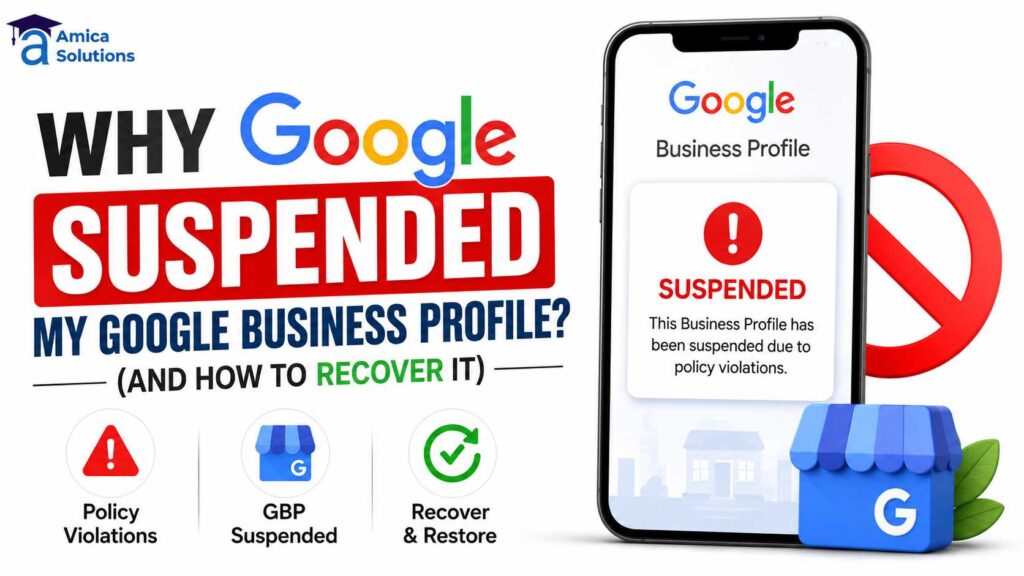
You log in one morning, and your listing is gone. No calls, no map pin, no reviews showing up in search — just a blank space where your business used to be. If you’re asking “why Google suspended my Google Business Profile,” you’re not alone. Thousands of business owners face a Google Business Profile suspension every month, often without any warning, and the panic that follows is completely understandable when your local visibility disappears overnight.
The good news: a Google Business Profile suspension is rarely permanent, and it is almost never random. Google’s systems (and occasionally human reviewers) flag profiles based on specific triggers tied to its business profile guidelines. Once you understand what caused the suspension, GBP suspension recovery becomes a structured process rather than a guessing game.
What Does a Google Business Profile Suspension Actually Mean?
A suspension means Google has temporarily (or in some cases indefinitely) removed your business listing from Google Search and Google Maps because it violated the platform’s guidelines or triggered a spam/quality signal. Your profile isn’t deleted — the underlying data usually still exists — but it stops appearing publicly until you resolve the issue and Google reinstates it.
There are two broad types of suspension:
Soft Suspension: Your listing disappears from Search and Maps, but you can still log into your Google Business Profile dashboard and make edits.
Hard Suspension: You lose access to the dashboard entirely. This is more serious and usually tied to repeated or severe guideline violations, and often requires a formal reinstatement request to recover a suspended Google Business Profile.
Understanding the difference between soft suspension vs hard suspension is the first critical step, because the recovery path differs significantly for each type.
How to Know If Your GBP Is Actually Suspended
Before jumping into recovery mode, confirm the suspension. Clear signs include:
- Your listing no longer appears when you search your exact business name
- You see a message inside the dashboard referencing a policy violation or “This listing can’t be verified”
- Your profile disappears from Google Maps entirely — a classic sign of a Google Maps listing suspended issue
- You receive an email from Google mentioning a suspension or policy issue
- The “Recover suspended Google Business Profile” option appears in your dashboard
Important: If you’re only seeing lower rankings or your business isn’t appearing for relevant searches — but the profile itself is still visible when searched by name — that’s usually a ranking or optimization problem, not a suspension. Our guide on why your business is not showing on Google Maps covers that scenario separately.
Step-by-Step: How to Recover a Suspended Google Business Profile
Step 1: Identify the Suspension Type
Log into your Google Business Profile manager. If you can still access and edit the listing, it’s a soft suspension. If you’re locked out entirely or see an error stating the profile was disabled, it’s a hard suspension. This distinction determines whether you can self-correct or must file a formal reinstatement request.
Step 2: Review Google’s Business Profile Guidelines Carefully
Go through your profile against Google’s Business Profile guidelines line by line — business name, address, category, hours, and photos. Fix anything that doesn’t strictly comply before you request reinstatement. Submitting a reinstatement request without fixing the underlying issue almost always results in another rejection and delays your recovery.
Step 3: Correct the Business Name Field
Remove any keywords, taglines, or location descriptors from your business name. It should exactly match your real-world signage and registered business name. This is especially important if keyword stuffing in business name was the trigger for your suspension.
Step 4: Verify Your Address and Category
Make sure your address is accurate, deliverable, and matches your registered business documents. Ensure NAP consistency across all platforms. Choose the most accurate primary category for what you actually do — avoid selecting broader or unrelated categories to “rank for more terms.” Category mismatch is a leading cause of hard suspension.
Step 5: Prepare Proof of Business Documents
Reinstatement requests are far more successful when supported by valid proof of business documents. Useful documents include:
- GST registration certificate (Government-verified, highest credibility)
- Business registration or incorporation documents
- Trade license or operating permit
- Utility bills matching the business address
- Recent invoices or bank statements
Since GST and business registration are government-verified, they carry strong credibility with Google’s review team and significantly improve your chances for successful GBP suspension recovery.
Step 6: Submit a Reinstatement Request (GBP Suspension Appeal)
Inside your Business Profile dashboard, look for the reinstatement or appeal option, or use Google’s official Business Profile help and support channels. When filing a GBP suspension appeal, explain clearly and factually what was fixed — avoid vague or emotional language, and stick to specifics. Example: “We corrected our business name from ‘ABC Services – Best in Dehradun’ to ‘ABC Services’ to comply with guidelines” is stronger than “We fixed our name.”
Step 7: Wait and Monitor (Avoid Repeated Edits)
Reinstatement can take anywhere from a few days to several weeks. Avoid making further edits to your listing while the request is under review, as additional changes can restart the review clock or look suspicious to automated systems. This is critical for successful GBP suspension recovery.
Step 8: Escalate If Needed
If your first request is denied or ignored, you can escalate through Google’s Business Profile community forum, where Product Experts sometimes assist with stuck cases, or submit a follow-up request with additional supporting evidence and clarified proof of business documents.
How to Prevent Future Suspensions and Maintain Local Search Visibility
Recovery is only half the job — protecting your listing long-term matters just as much.
- Keep your business name, address, and phone number identical across your website, directories, and social profiles (maintain NAP consistency)
- Never add keywords or promotional text to your business name field
- Avoid creating duplicate listings for the same location or service area
- Space out major profile edits instead of changing multiple fields at once
- Only collect reviews organically — never incentivize or gate them
- Keep your business documents (GST, registration, trade license) updated and consistent with your GBP details
- Regularly audit your listing for unauthorized edits from public suggestions
- Follow all Google Business Profile guidelines strictly
A well-maintained profile combined with consistent local SEO signals is far less likely to trigger Google’s spam filters in the first place. If you’d like your listing professionally audited and optimized to reduce the risk of suspension, our Google Business Profile management service handles ongoing monitoring, corrections, and reinstatement support for local businesses.
Suspension vs Poor Ranking: Don't Confuse the Two
A lot of business owners assume they’re suspended when the real issue is weak local SEO — incomplete profile information, few reviews, or missing local citations. If your listing is visible but not ranking well, the fix isn’t a reinstatement request; it’s a stronger local optimization strategy.
Suspended Profile: Not visible in search or on Google Maps Poor Ranking: Visible but appearing on page 2+ for local searches
Understanding this distinction will save you weeks of wasted effort. A comprehensive local SEO strategy is what moves the needle for rankings, while our step-by-step recovery guide is what you need if you’re dealing with an actual Google Business Profile suspension.
Final Thoughts: Recovering Your Suspended Google Business Profile
Getting suspended feels alarming, but how to recover a suspended Google Business Profile is a fixable problem once you understand the cause. Whether it’s a business name violation, an address mismatch, a duplicate listing, ownership verification dispute, or any other trigger, the recovery process is the same: identify the issue, fix it completely, document your legitimacy with verified business records, and submit a clear, honest reinstatement request.
The path to successful GBP suspension recovery and reinstatement requires patience, accuracy, and attention to Google’s guidelines. Most suspensions can be resolved within 2-6 weeks if approached systematically.
If you’re still asking “why Google suspended my Google Business Profile” and the do-it-yourself steps above haven’t worked, professional help can save weeks of back-and-forth with Google’s support systems. Get in touch with our team for a free profile audit and reinstatement support.
How Amica Solutions Can Help
A Google Business Profile suspension is fixable once you understand the cause — but between diagnosing the trigger, correcting every affected field, assembling the right documentation, and writing a reinstatement request Google will actually approve, it’s easy to lose weeks going back and forth on your own.
At Amica Solutions, we handle the full recovery process for local businesses: identifying exactly why your listing was suspended, correcting the underlying issue, preparing verified documentation, and managing the reinstatement request from start to finish. We also offer ongoing Google Business Profile management to keep your listing compliant and reduce the risk of it happening again.
If you’re dealing with a suspended listing right now, get in touch with our team for a free profile audit and reinstatement support.
For More Information
Visit Our Website – Amica Solutions
Contact us at – +91 9411339575
Visit Our – Google Business Profile
FREQUENTLY ASKED QUESTIONS
Q: How long does it take to recover a suspended Google Business Profile?
A: It varies — soft suspensions can be resolved within a few days of correcting the issue, while hard suspensions with a formal reinstatement request can take two to six weeks depending on review volume. The speed of recovery often depends on the completeness of your proof of business documents.
Q: Can I create a new listing instead of fixing the suspended one?
A: This is risky. Creating a new listing for the same location while the old one is suspended is often treated as a duplicate listing violation and can lead to both profiles being penalized. It’s always better to recover your existing listing.
Q: What government documents help prove my business is legitimate?
A: A current GST registration certificate from the Goods and Services Tax portal or an Udyam/MSME registration certificate are widely accepted as strong proof of business identity and address during reinstatement reviews. These carry the highest credibility with Google’s review team.
Q: What if my business name has changed legally — how do I update it without triggering suspension?
A: Document the legal change (business registration update, deed poll, etc.) and update your GBP profile once, then wait at least 2-3 weeks before making any other changes. Submit the legal documentation proactively to Google to avoid triggering suspension flags.
Q: Is there a direct phone number to Google to expedite reinstatement?
A: Google doesn’t provide direct escalation for reinstatement requests. Your best options are the Business Profile help community, official support channels within your dashboard, or professional local SEO services that have established relationships with Google support.
Contact Us
Recent Posts






Written and reviewed by
Amica Solutions Team
Amica Solutions is a digital marketing company in Dehradun working on SEO, Google Business Profile management, Google Ads, social media marketing, content marketing, website development, and lead generation for local businesses.
- Office: Laxmi Tower, Near Sahastradhara Road, B Block, Aman Vihar, Dehradun, Uttarakhand 248001
- Phone: +91 9411339575
- Email: contact@amicasolution.com